
Private and public B2B clouds
A cloud run by public-cloud rules — on your own hardware
Departments and customers order resources themselves, IT approves in one click, and cloud quotas change with no manual work. A self-service portal out of the box, an open stack, licensed per server, not per core.
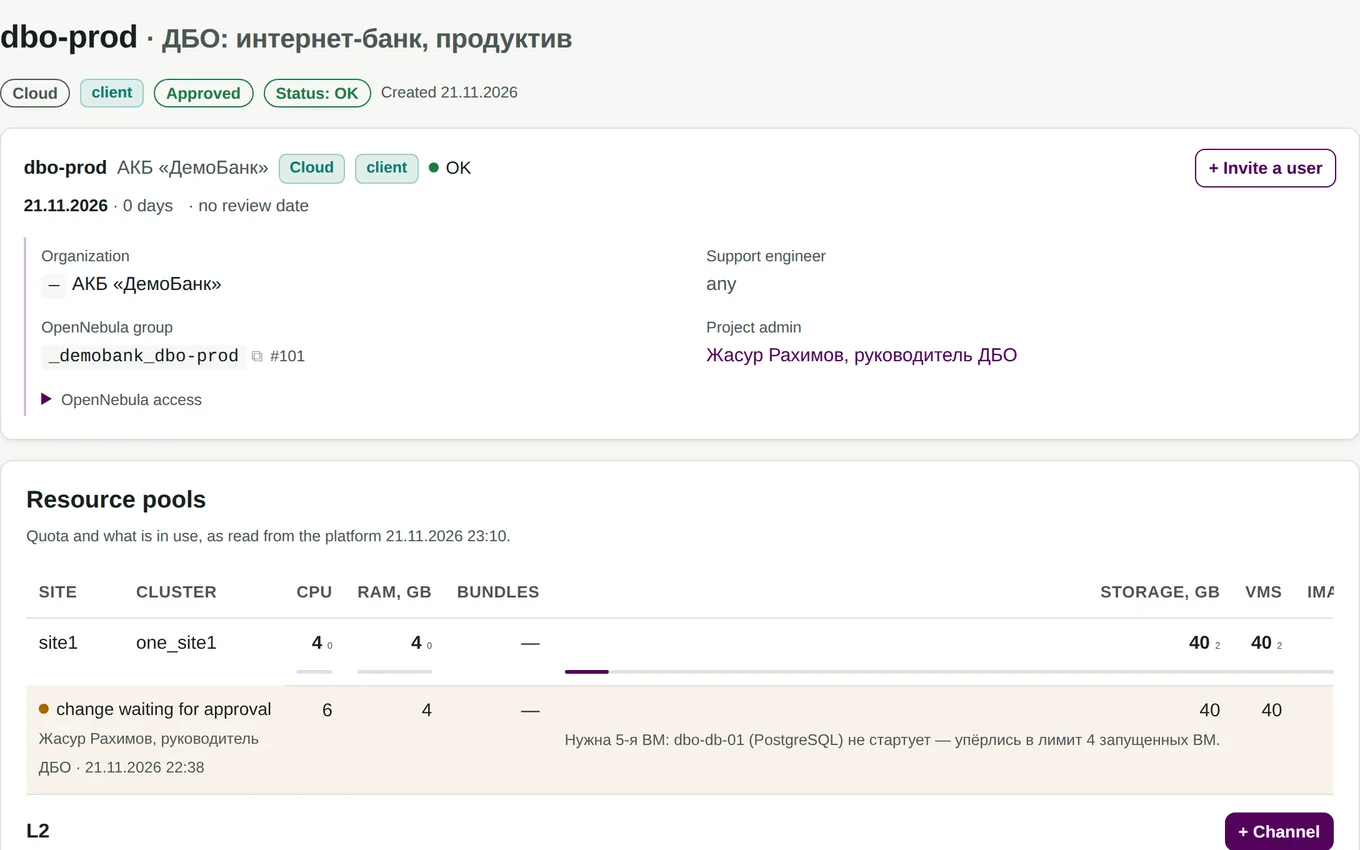
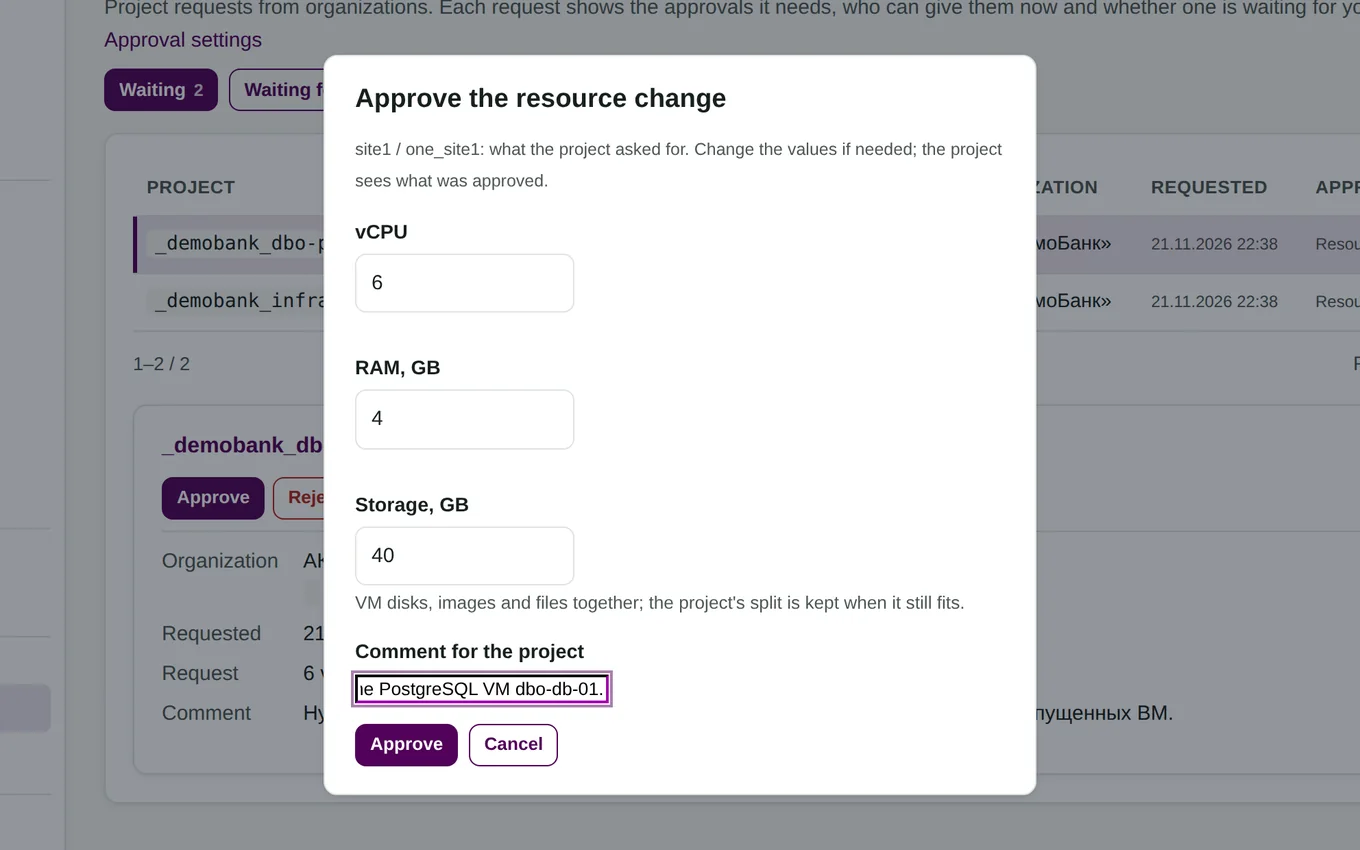
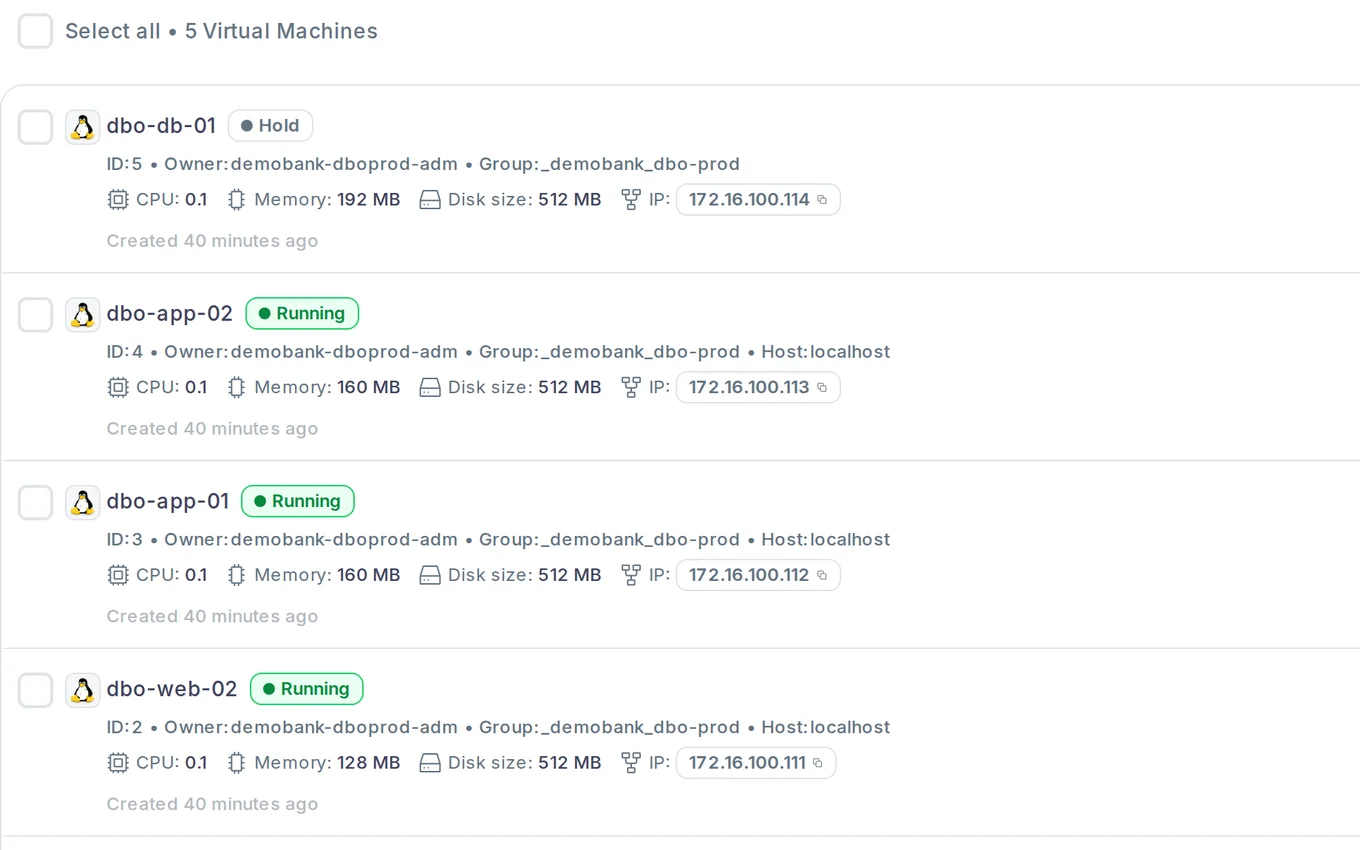
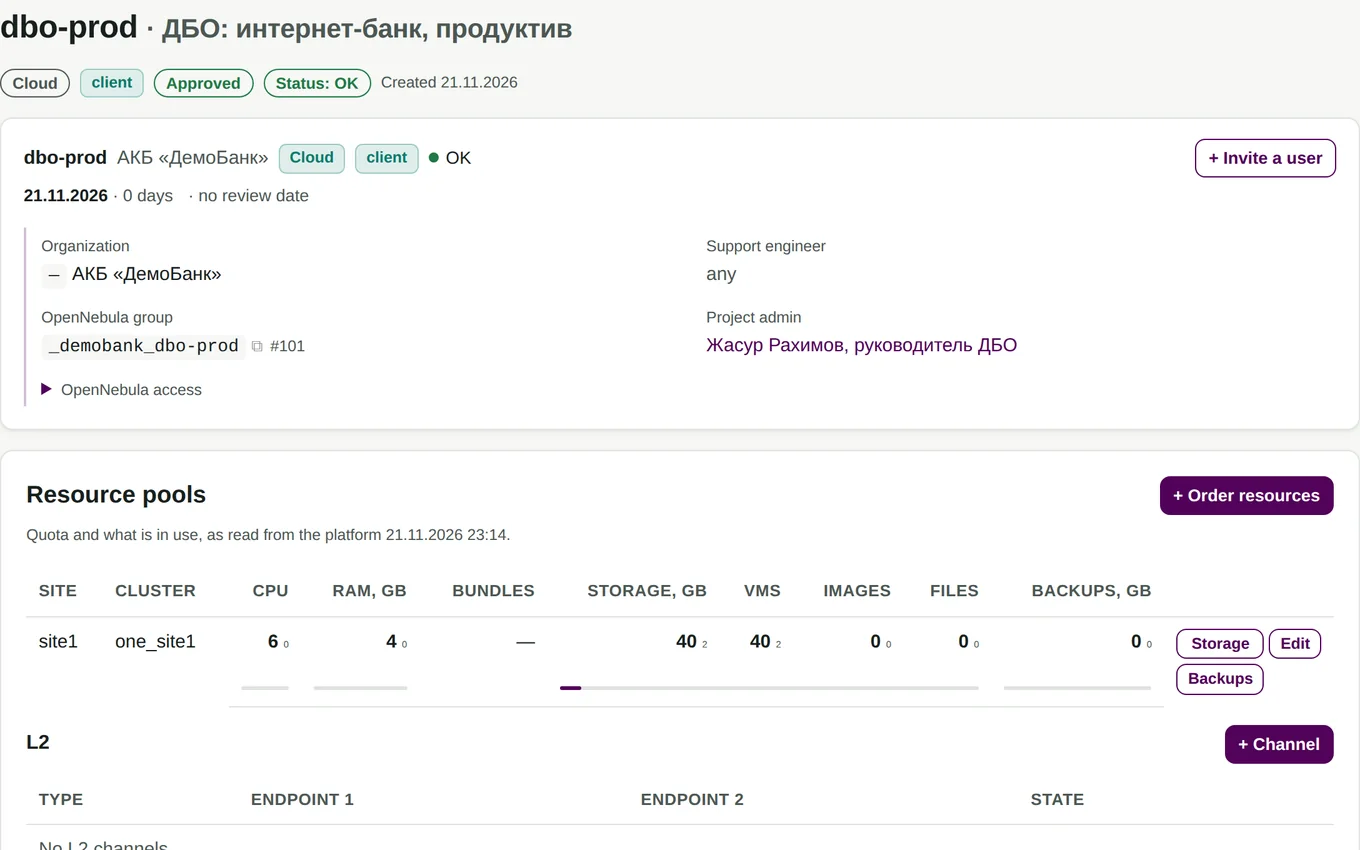
1 / 4 · Customer · portalThe online banking team is out of resources. The project lead asks for 6 vCPU instead of 4, right in the portal.
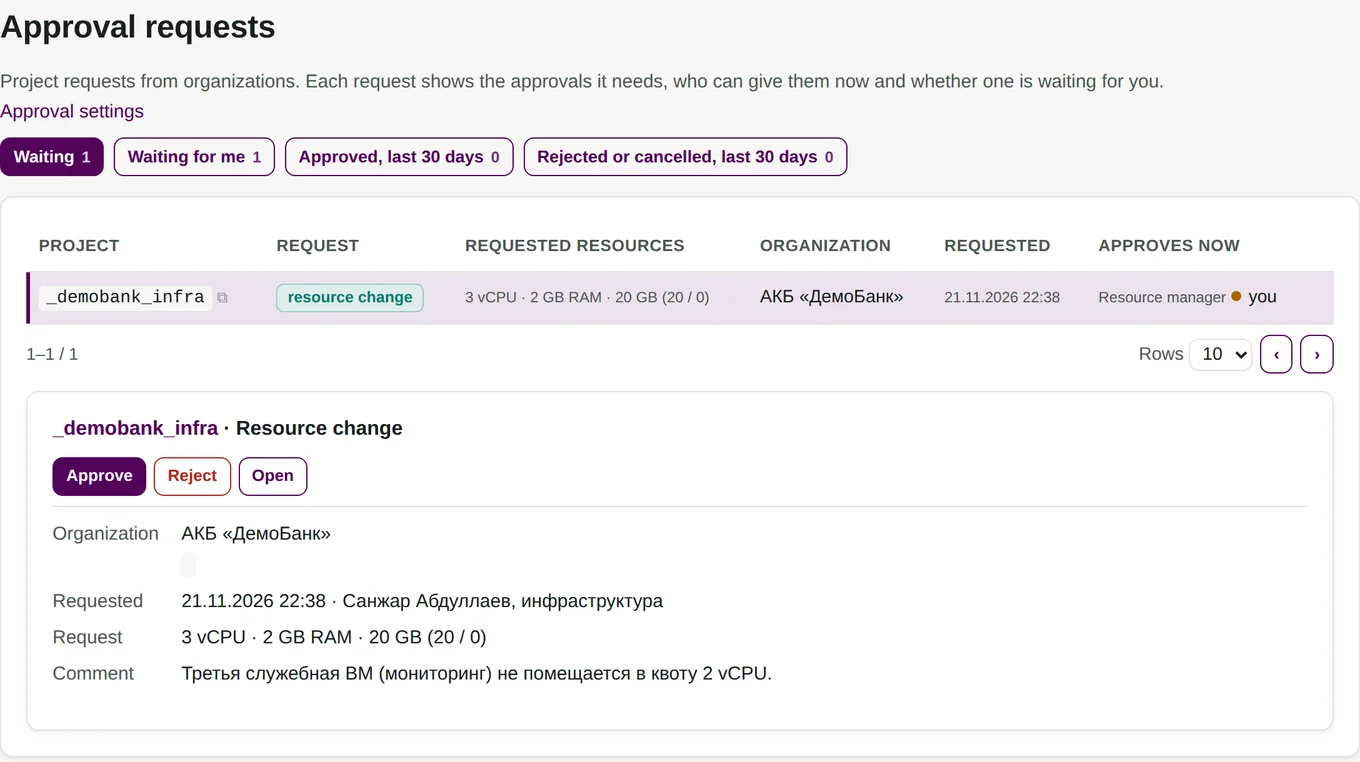
2 / 4 · IT · portalThe resource manager sees the request and approves it in one click.
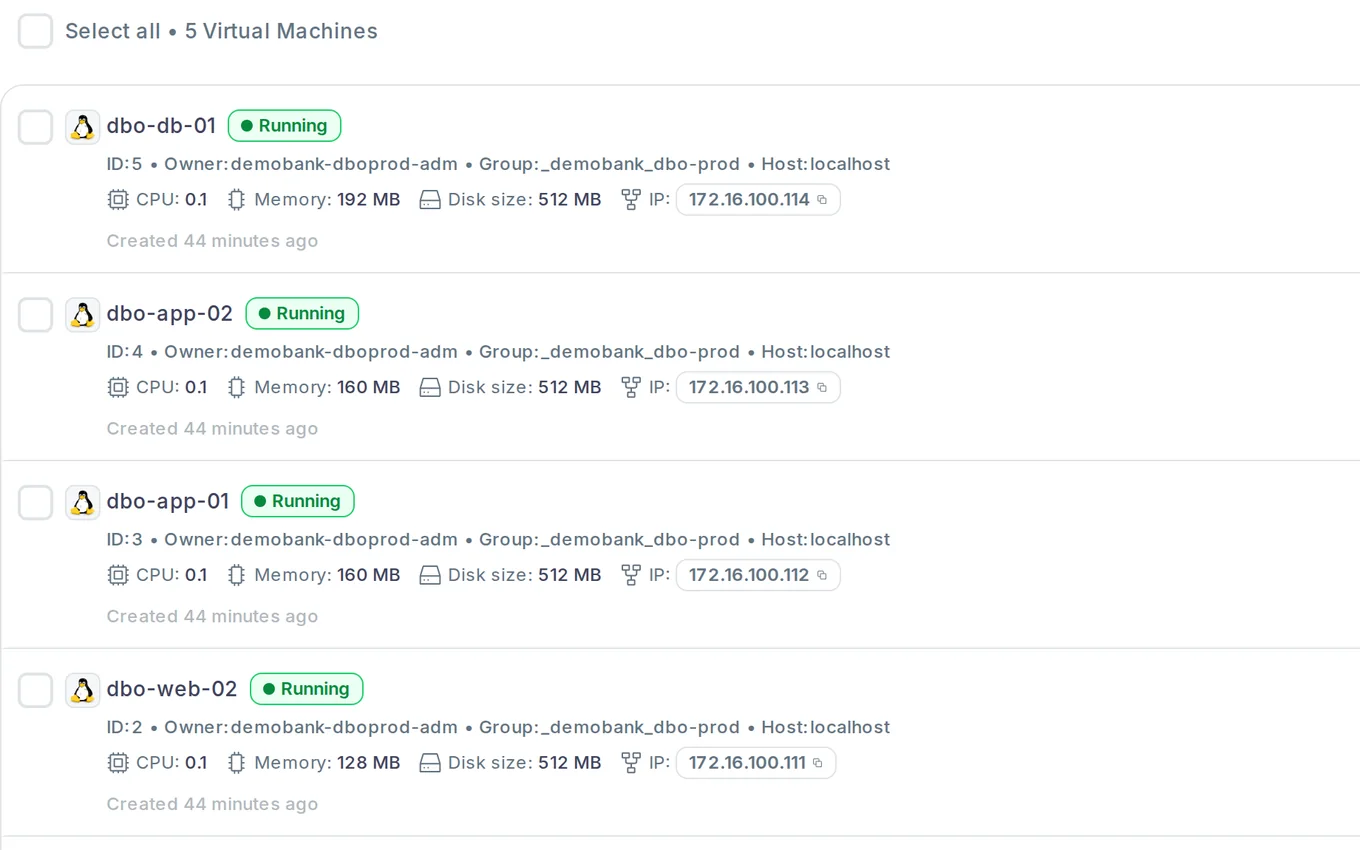
3 / 4 · OpenNebulaThe portal changes the quota in OpenNebula by itself. The database server that was on hold starts.
4 / 4 · Customer · portalThe project now has a quota of 6 vCPU. The decision is kept in the change history.
What changes
Before and after
Virtualisation can be built on any stack. The layer above it — projects, resource orders, addresses, gateways — usually rests on one engineer’s scripts.
Features at a glance
What the platform does
Nine features, one line each. Click any of them for the details below, with screenshots from a working lab.
Who it is for
Five starting points
The portal in detail
One portal for IT, departments and customers
All screenshots come from a working OpenNebula 7.4 and Claugine lab. The customers are fictional: DemoBank and DemoSug‘urta insurance, with the site in Tashkent. Click a screenshot to enlarge it.
01 · Customers and organisations
Every customer is a separate organisation
An external customer, a subsidiary or a department gets its own organisation with projects, users and quotas. The operator sees them all on one screen.
- Projects, users and pending approvals in one list
- A sales manager and a key account manager are assigned to each customer
- The organisation or project administrator invites users

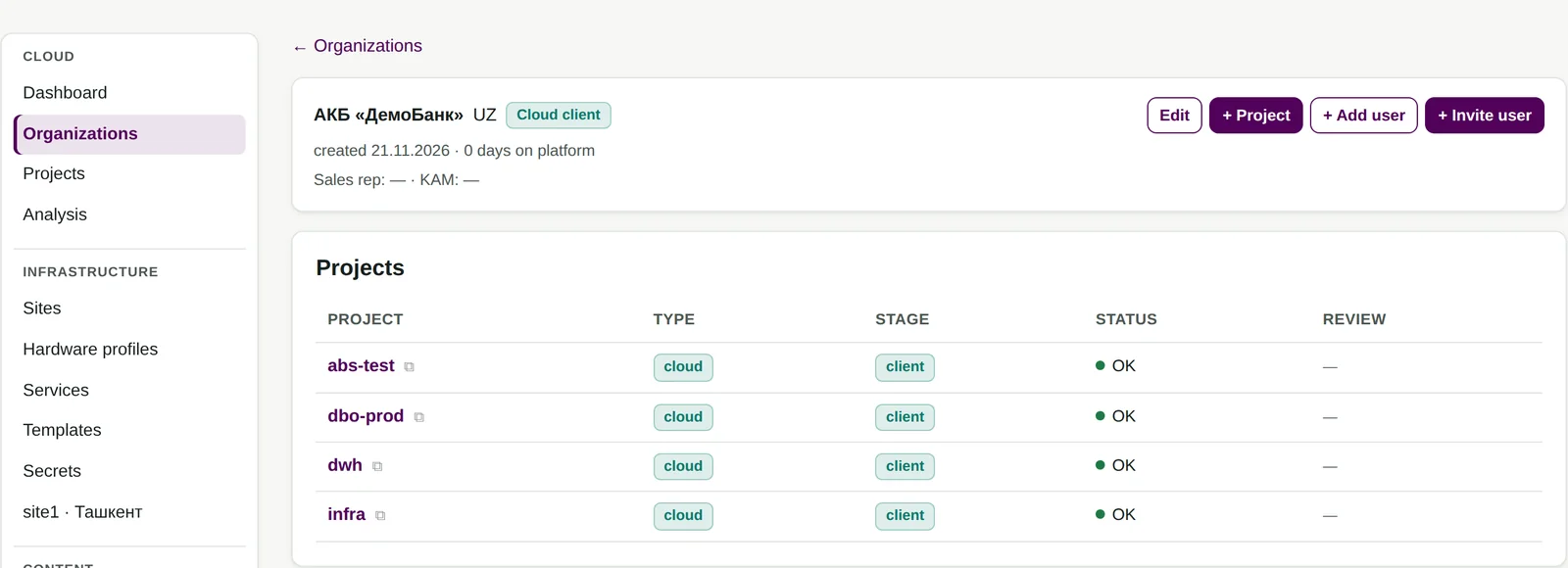
Demo lab, illustrative data.
02 · Projects
Resources are issued to projects
A project has its own quota, network and users. In OpenNebula it maps to a separate group, which the portal creates by itself.
- A project starts as a pilot (POC) and moves to production by a separate decision
- The people in charge are notified in advance when a pilot or a contract is about to end
- Nothing is deleted by one accidental click: pause, suspension, preservation with a full copy of every machine, archive
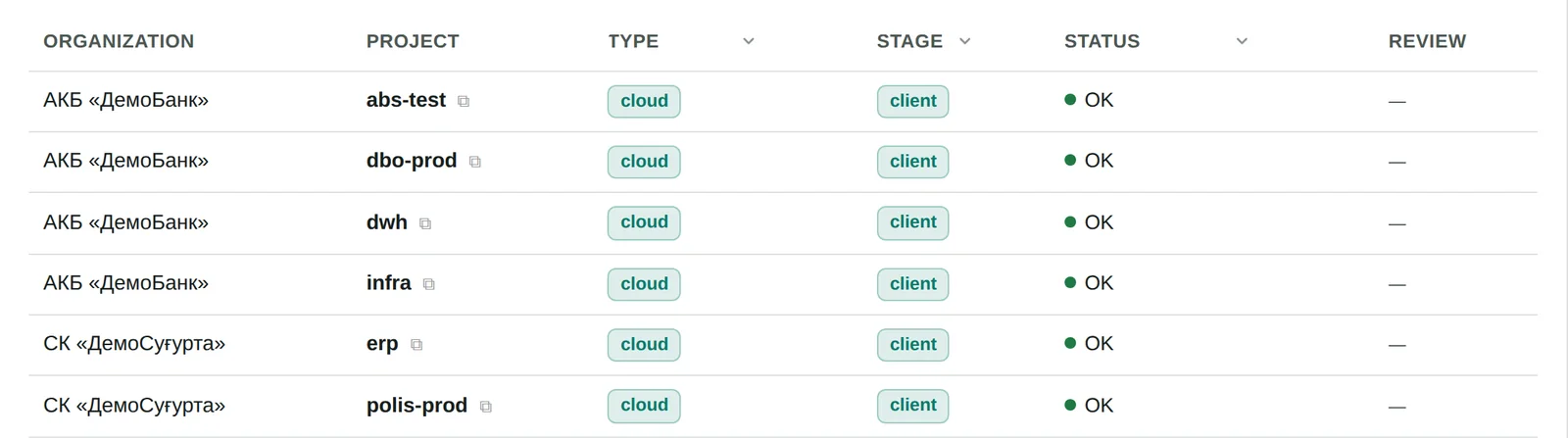
Demo lab, illustrative data.
03 · Orders and approvals
Orders in the portal instead of chat requests
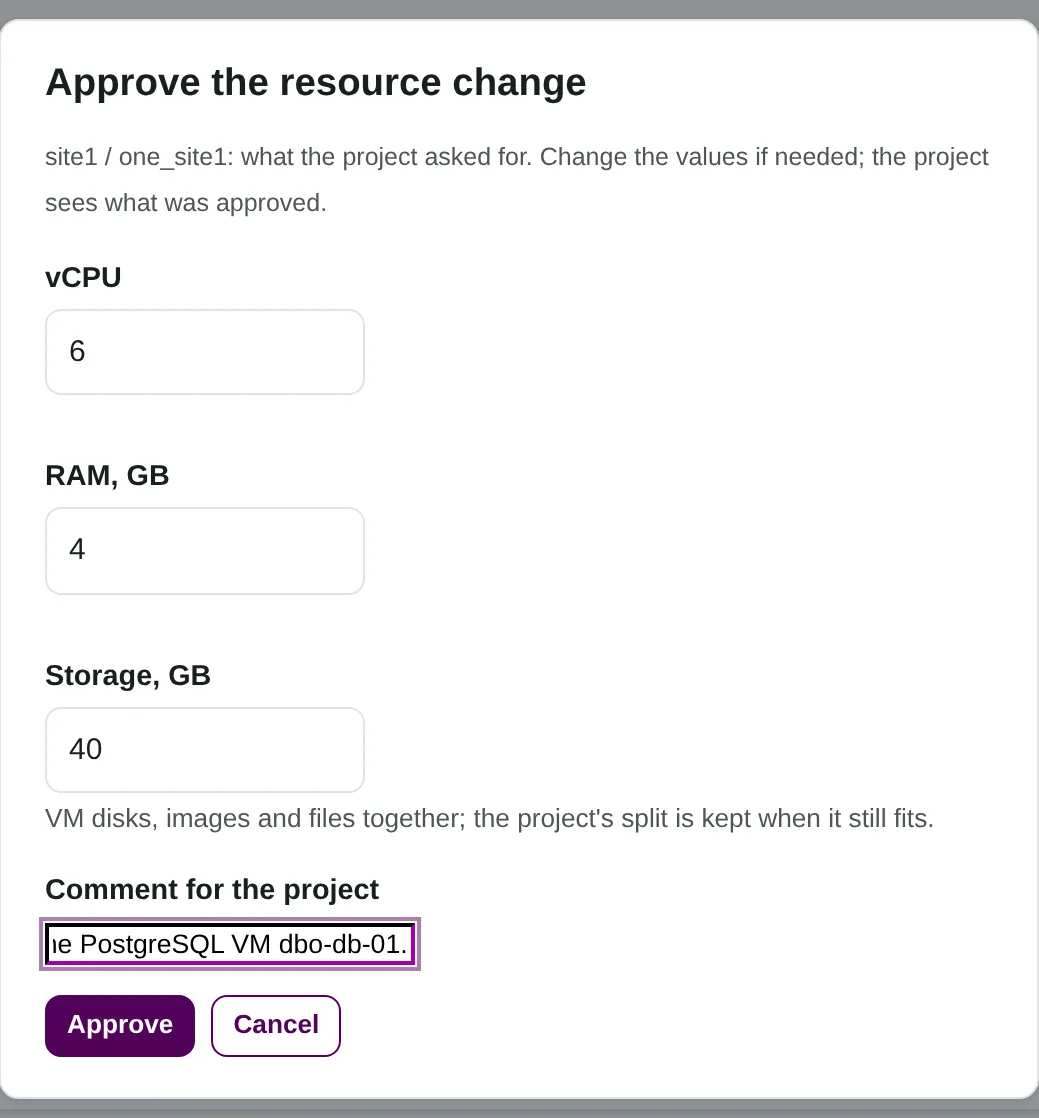
The project administrator orders vCPU, memory and storage and explains why. The request lands in the queue of the person in charge at IT or the provider.
- You see which approvals are needed, who can give them now and whether a request is waiting for you
- The approver can adjust the values and leave a comment; the project sees what was approved
- Changes that do not add resources need no approval; more resources or a new network go through approval
04 · Automatic quotas
An approved order becomes cloud settings by itself
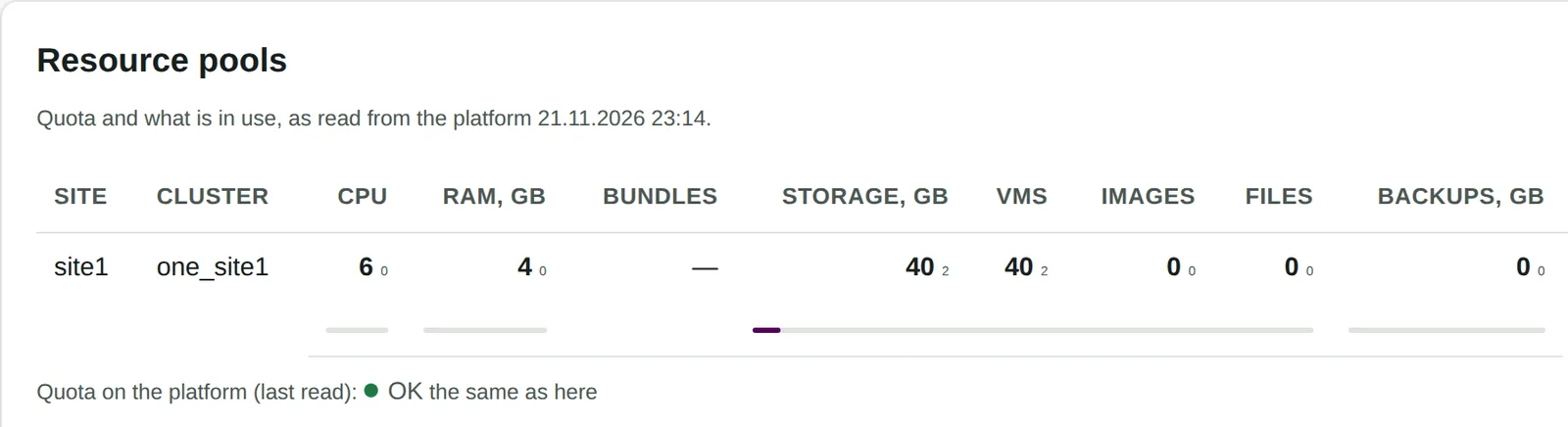
The portal creates the group, administrator, quota and access rules in OpenNebula, plus networks, addresses and a gateway for outside access. The engineer sets up nothing by hand.
- The portal compares the quota in the cloud with the ordered one and shows the result on the project page
- A machine that was short of quota starts right after approval
- A project gets storage as one number and splits it between disks, images and files itself


Demo lab, illustrative data.
05 · Self-service
Customers see their own resources and work on their own
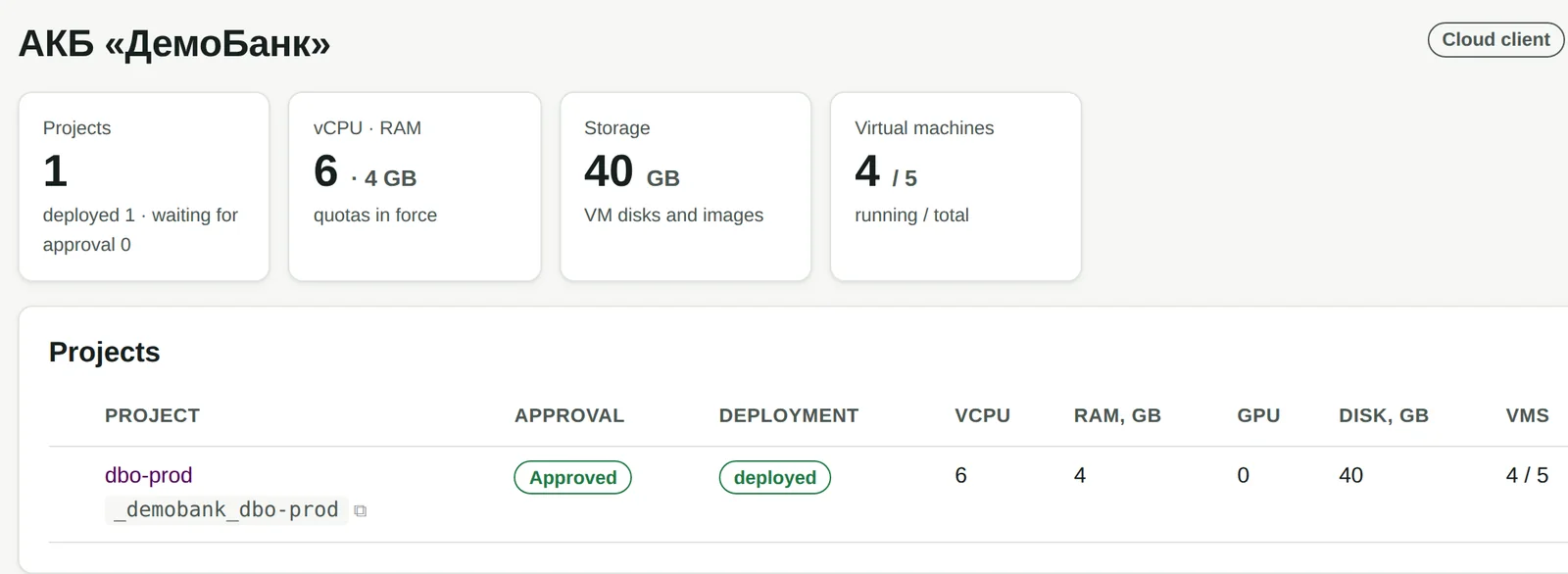
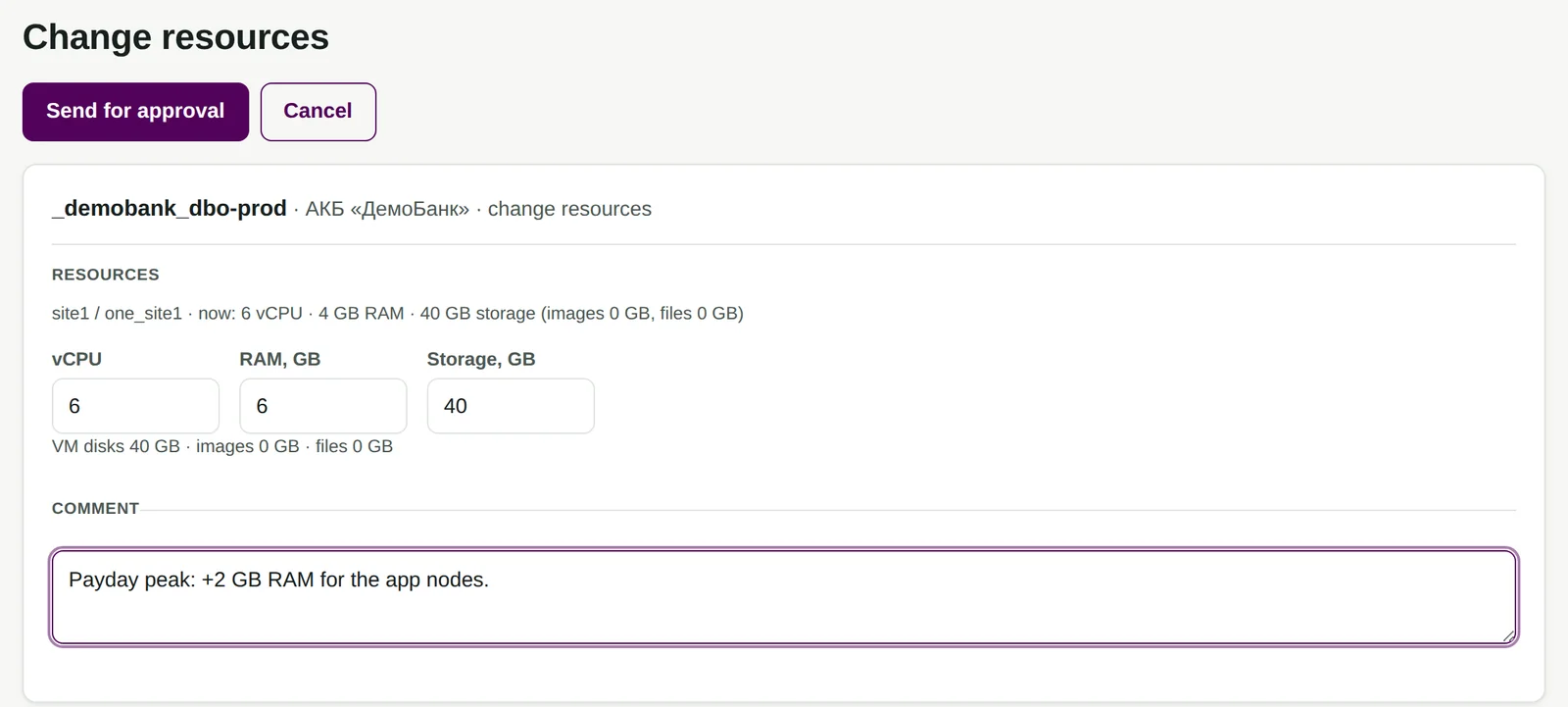
The overview shows projects, quotas in force and how many machines are running. Users start machines themselves in the OpenNebula console, with the account issued by the portal.
- A request for more resources goes straight from the project, with no emails or calls
- The request status and the approver’s comment are visible in the project
- Disks, images, console, snapshots and backups are handled by OpenNebula
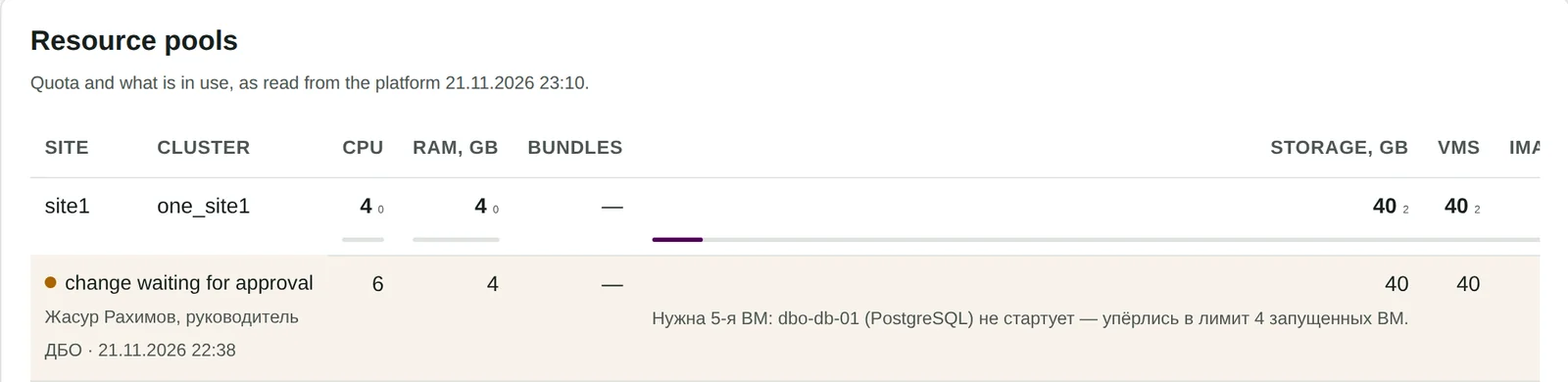
Demo lab, illustrative data.
06 · Accounting and history
Every resource change is recorded
When a project was created, when and by how much a quota changed, how many days the values were in force and whether they were applied in the cloud.
- History per organisation and per project
- The answer to an auditor’s question: who issued the resources, and when
- A basis for charging customers; rates and invoices stay in your billing system
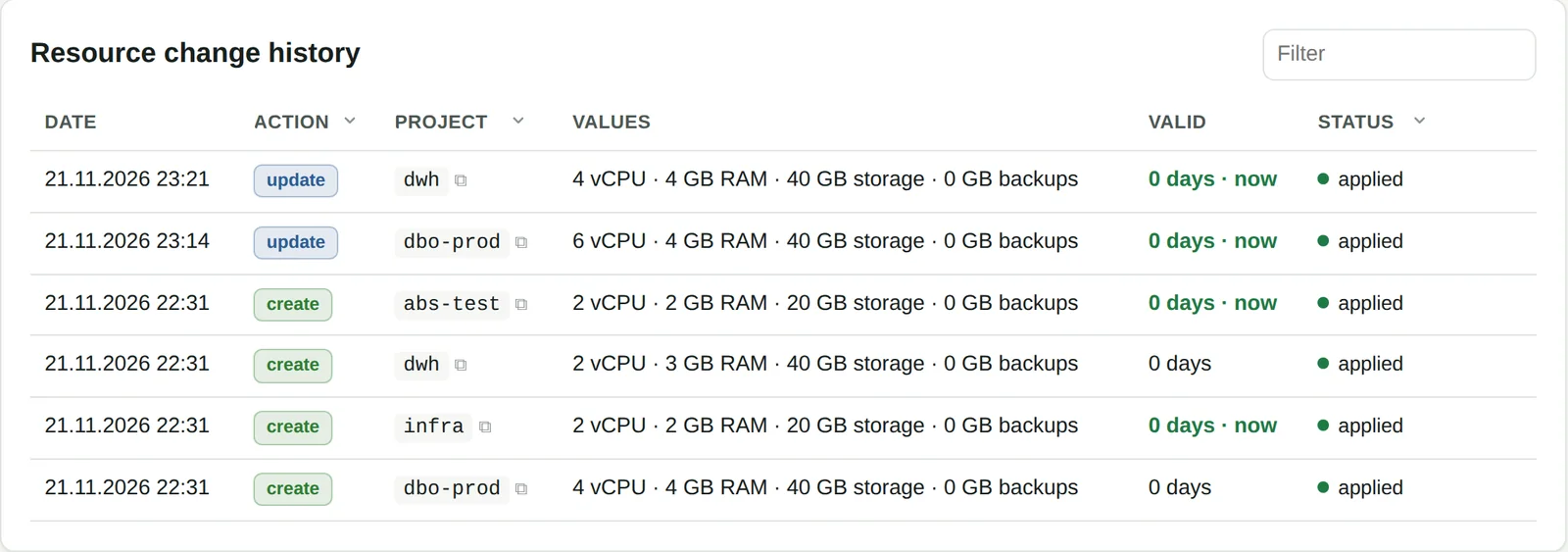
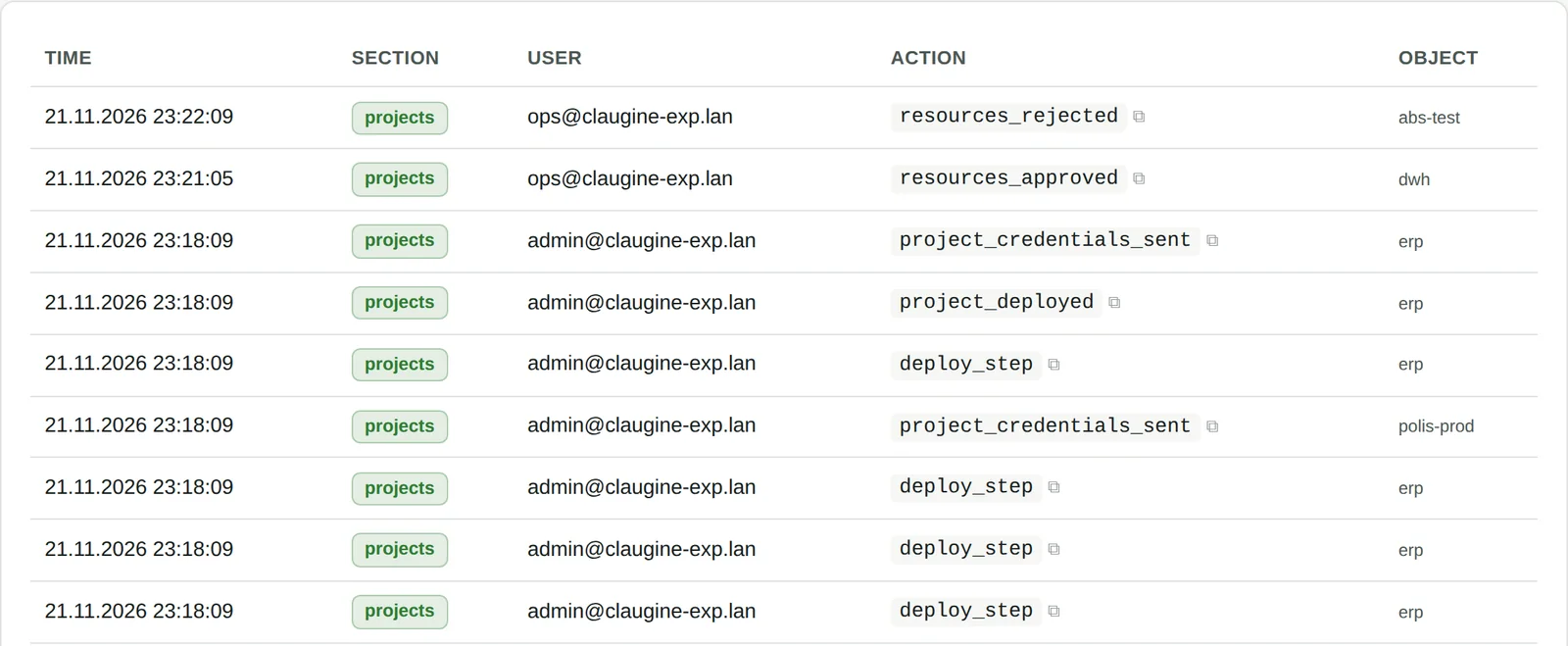
Demo lab, illustrative data.
07 · Roles and security
Everyone sees only their own
Everyone works in the portal: engineers, the provider’s sales team and the resource consumers themselves. Only roles and rights differ.
Under the portal
The portal and OpenNebula: who does what
The platform is built from open components that have long worked on their own. The Claugine portal adds what they lacked together.
Claugine portal — the business layer
- Organisations, projects, users and roles
- Resource orders, approvals and quotas
- Sites, clusters and spare capacity
- Change history and audit log
- Automation: an approved order becomes cloud settings
OpenNebula — the cloud engine
- Virtual machines, disks, images
- Networks and security groups
- Console, snapshots, backups
- Users work in the familiar OpenNebula console with an account from the portal
08 · Networks and isolation
Every project in its own network
Projects of different departments and customers do not see each other until you connect them explicitly. The way out goes through gateways, each with its own area of responsibility.
The project gateway does SNAT for internal addresses and is run by the project owner. The provider edge lets through only the addresses issued to the project and limits bandwidth to what was ordered: 10 to 1000 Mbit/s.
A project has either internet access or the corporate network, never both: the rule protects against accidental pass-through access.
An L2 link over WireGuard connects a project to your site — for example, to move machines without changing addresses.
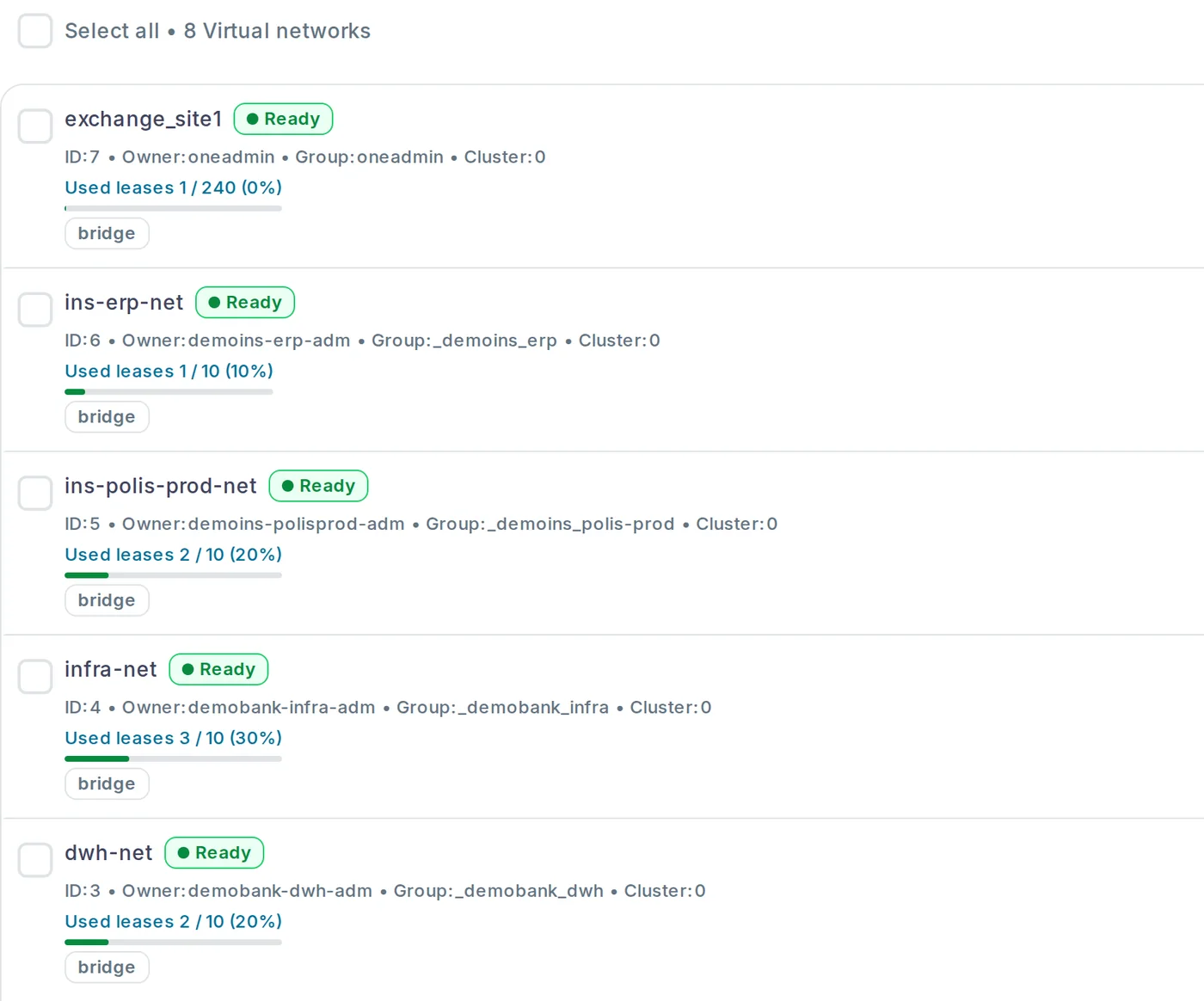
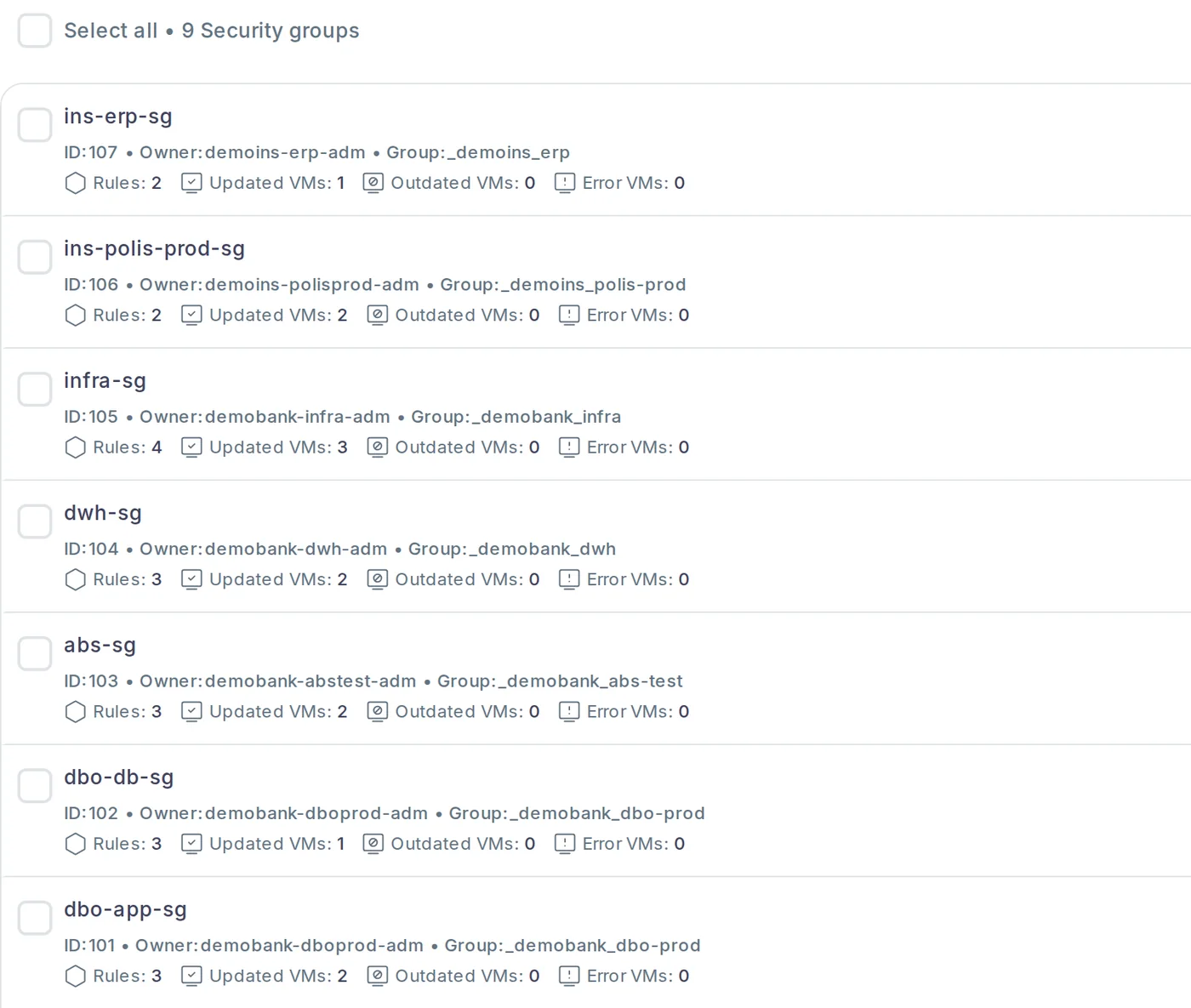
Demo lab, illustrative data.
The portal issues addresses: the project administrator only picks the subnet size. Under the hood it is BGP EVPN / VXLAN over the fabric — standard technology for network engineers, supported by Arista and Juniper switches.
09 · Capacity
The platform works out how much you can issue
A scale example — the cloud of a top-5 bank in Uzbekistan: the main site in Tashkent and a standby site in Samarkand. Every host has two 32-core 2.8 GHz processors and 1 TB of memory.
The platform works out density and headroom itself: for a bank’s production systems we plan 3–4 vCPU per core and keep a reserve for a host failure.
Typical machines (vCPU / GB of memory): online banking web — 4 / 8, applications — 8 / 32, core banking DB — 32 / 256, DWH — 48 / 512, card processing — 16 / 64.
Storage
An array or disks inside the servers
If you already have an array, machines live on it over NFS, iSCSI or FC. Or disks go into the servers and LINSTOR keeps copies of the data on several nodes. In the same bank example:
NVMe and SSD for production and databases, hybrid HDD with an SSD cache for the rest. Tiers are best split across clusters.
Deployment
The cloud is deployed from a single description
Together with your engineers we describe the hardware, networks and platform. The platform and the portal are then deployed from that description automatically.
- Standard x86 servers, mixed generations are fine
- IPMI with Redfish on every server: automation manages the host through it
- Network from 10G; 25G recommended
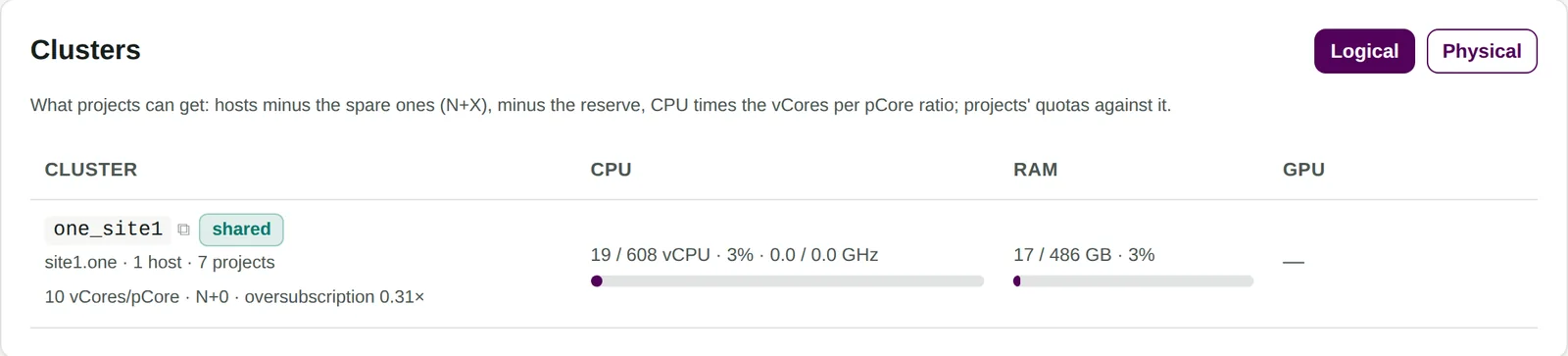
Demo lab, illustrative data.
For providers and data centres
The portal, roles and networks are ready
A cloud business starts above virtualisation: the customer needs a portal, the provider needs roles, accounting and network boundaries. This layer usually has to be written and maintained in-house.
Launching a cloud
Sell resources from day one
- The customer orders a project, your engineer approves it, automation creates networks, addresses and a gateway
- A trial period is built in: a project starts as a pilot with an end date
- A sales manager works with their own customers and does not see others
- The provider edge limits bandwidth to what was ordered
- A dense server is licensed like a modest one: more customer vCPU per licence
Already a cloud
A second environment next to the running platform
- A budget tier: test, development, backups and archive on dense servers and hybrid disks
- A new site or region: portal, roles and networks from day one
- A dedicated cloud for a large customer: a separate cluster, an isolated network, its own portal
- The running platform stays untouched: the new environment lives on its own servers and connects to the data-centre network
- Only the servers of the new environment are licensed
Licensing
Licensed per server, not per core
One licence is one physical workload server. Cores, sockets and memory are not counted. For comparison: the per-core model used by other virtualisation platforms.
A self-service portal out of the box
With other virtualisation platforms a portal is not always there, and not in every edition. Here it is part of the platform: departments and customers order resources themselves, and approvals and quotas work right after installation.
Today: 40 servers across two sites, two 32-core processors each
24 hosts in Tashkent and 16 at the Samarkand standby site, management servers not included.
In three years: the same 40 servers with 64-core processors
The processors were replaced with denser ones.
The example shows how the number of licensed units changes, not the cost: prices depend on the terms of supply, and we calculate them for your project. The per-core model follows the public 2026 terms of widely used virtualisation platforms: a per-core subscription, typically with a minimum of 16 cores per processor. We check the terms of the specific product and edition when we do the calculation.
We will count the licences for your servers — now and in three years — and compare them with the per-core model.
Request a calculationMigration
Migration step by step, not overnight
We start not by moving machines but by describing what you have. A mistake at this stage costs the most.
- AssessmentWhich machines exist, what they really consume, which networks, licences and support.
- DescriptionTogether with your engineers we describe hardware, networks and subnets. The platform is deployed from the description automatically.
- PilotWe move typical machines: Linux, Windows, an application, a database. We check performance, network and backup.
- MigrationIn groups, by system profile. From VMware — with the standard OneSwap tool: it connects to vCenter, converts disks and creates images, addresses and a machine template.
- Retiring the oldServers are retired or join the new cluster if their generation allows.
Why Acropolis Integro
The cloud is built by those who then support it
We are a systems integrator based in Tashkent: we supply hardware, deploy the platform, train your engineers and stay on as first-line support.
Banks
We designed and deployed a bank’s HCI platform across two geographically separate data centres and support it under the load of core banking systems.
Telecom
A private cloud on HCI, SAN and data-centre network upgrades, backup systems.
Critical systems 24/7
Support and outsourced operation of databases under strict SLAs: one team is responsible for the whole system.
Questions
What people usually ask
It is OpenNebula, which is free to install. What does the platform add?
You can. What remains is what teams usually write and maintain themselves: a portal with approvals, roles, a network model with gateways and boundaries, the project life cycle and deployment of the whole platform from one description. That is the layer Claugine covers.
Who is responsible if something breaks?
Each layer can be supported by its own vendor, and you open a ticket in one place — with us. Which layers get vendor support is decided together, by how critical the systems are.
| Layer | Supported by | What it gives |
|---|---|---|
| First line, hardware, network, ticket routing | Acropolis Integro | 24/7/365 |
| OpenNebula | OpenNebula Systems | a subscription with an SLA of up to 24×7 |
| VyOS | VyOS | long-term support releases and security fixes |
| Ubuntu 26.04 | Canonical | security updates until 2031, with Ubuntu Pro until 2036 |
| LINSTOR / DRBD | LINBIT | support of up to 24×7 |
The stack is not mainstream. Where do we find people?
The portal removes part of the manual work, and underneath are Linux, KVM and BGP EVPN — skills your engineers already have. We train the team during deployment and stay on as first-line support.
When is it not a fit?
If you have 3–4 servers and no consumers other than the IT department: the cloud layer will not pay off, and we will suggest a simpler design. And if you need a single vendor for the whole stack with one support contract: here there are several independent components and several contracts.
What should we prepare for the first meeting?
- Who will use the resources: departments, subsidiaries or external customers?
- What are you moving from: another virtualisation platform, old hardware, or starting from scratch?
- How many machines do you have and what do they really consume?
- How many sites now and in three years?
- Is there an array to reuse, or do we store data in the servers — and on which disks?
- Which network is in the data centre: 10G or 25G, which switches?
- Which systems are critical and what support do they need?
- How many workload servers do you need at the start and in three years?
See the cloud on a working lab
30 minutes online: the portal through the eyes of a customer, a sales manager and an engineer. After the demo we will review your site and put together a configuration for a pilot.